Trusted by design
Applying Bankrate authority where it matters most
VISUAL HIERARCHY
RESPONSIVE DESIGN
CONTENT STRATEGY
Overview
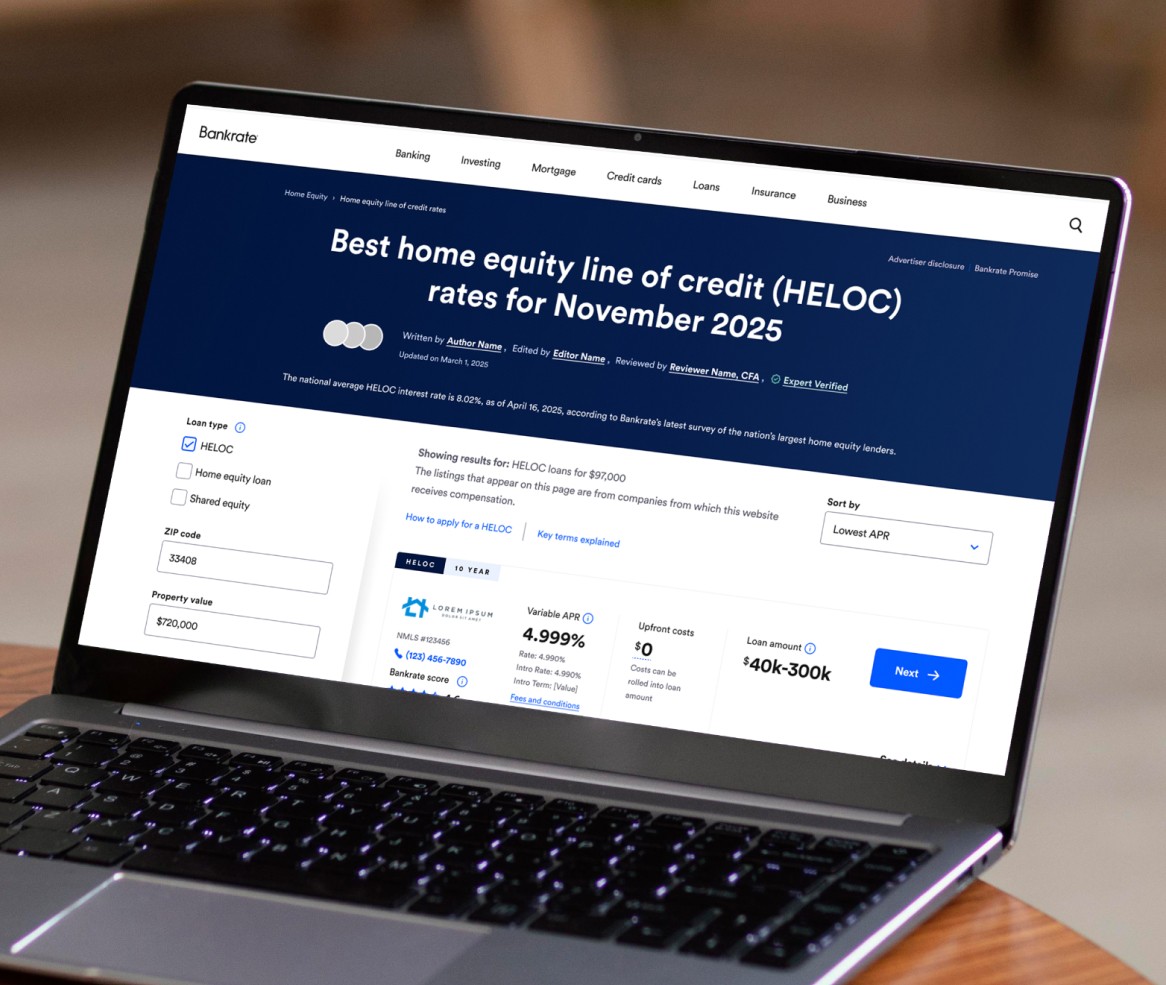
The Home Equity rate table hadn't been updated in years. The existing experience was functional but passive — a list of lenders with minimal context, asking users to make one of the most significant financial decisions of their lives with little more than an APR and a button. The goal of this redesign was to change that relationship fundamentally: from a rate aggregator to a trusted advisor.
Bankrate's authority in the financial space is one of its strongest assets. The old rate table didn't reflect it. This redesign was the opportunity to close that gap — surfacing expert editorial context, compliance-driven detail, and lender-specific information within a single cohesive experience that users didn't have to leave to get answers.
The Brief
The ticket came with significant scope: standardize the hero to dark mode, revamp both HELOC and HELOAN rate tables, restructure the "More Information" experience into a cleaner modal and expandable dropdown system, surface Expert Take and editorial content within lender cards, add loan term filters, introduce APR type callouts, and solve for mobile filter behavior — all while maintaining compliance requirements and staying consistent with Bankrate's evolving cross-site design language.
The requirements were largely defined. The design challenge was everything in between — how to organize that volume of content without overwhelming users, how to establish clear hierarchy across a dense information environment, and how to make a complex financial tool feel approachable rather than intimidating.
The Design Challenge
The biggest risk with a brief this dense is treating it as a checklist. Every requirement gets added, the page gets heavier, and users end up more confused than before. The work that mattered most here was grouping, sequencing, and restraint.
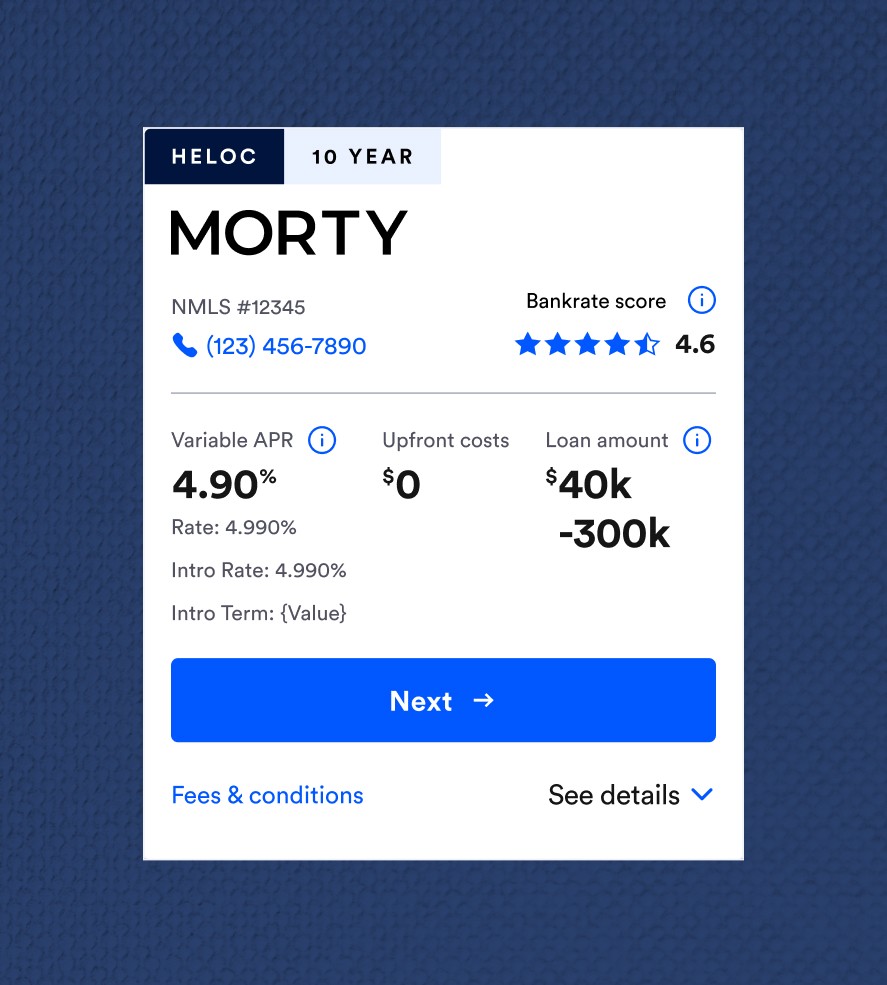
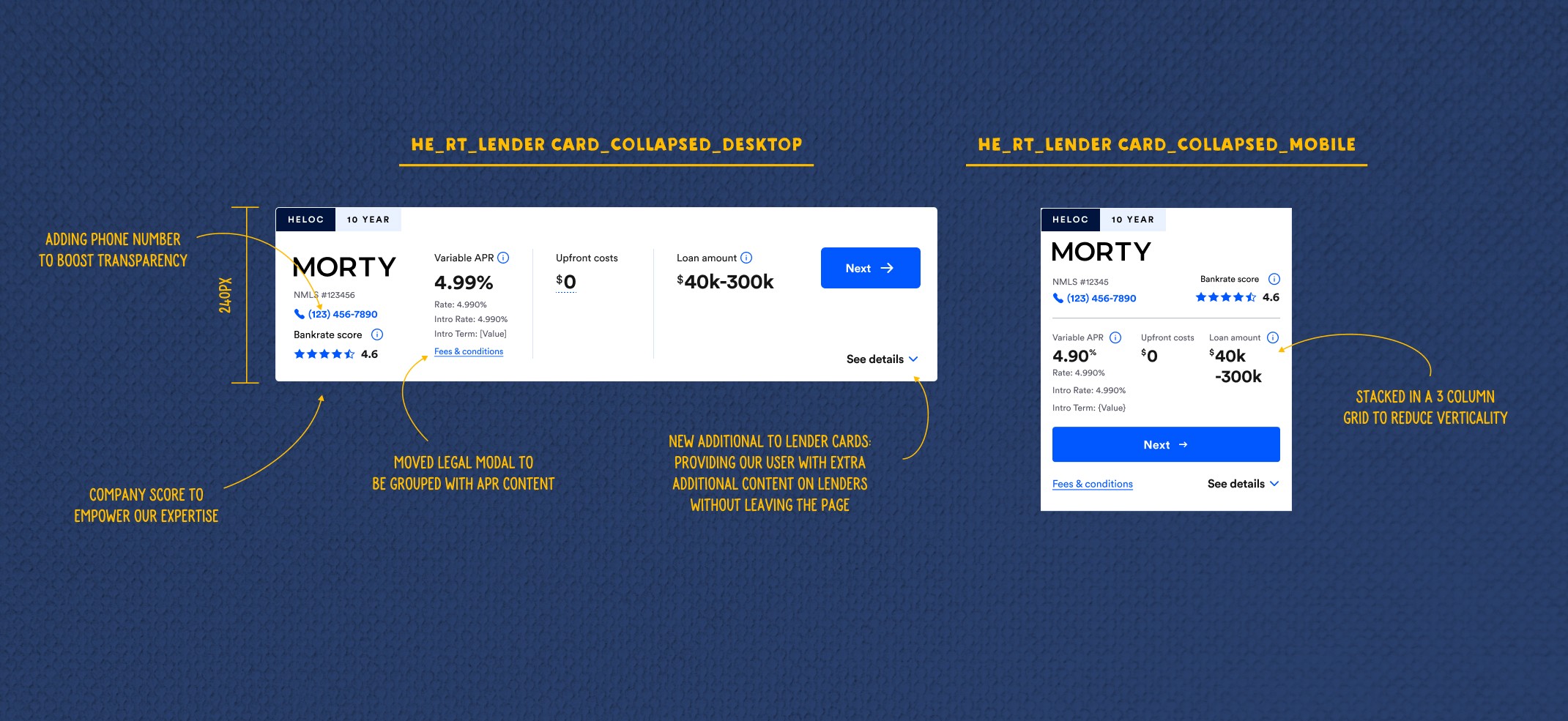
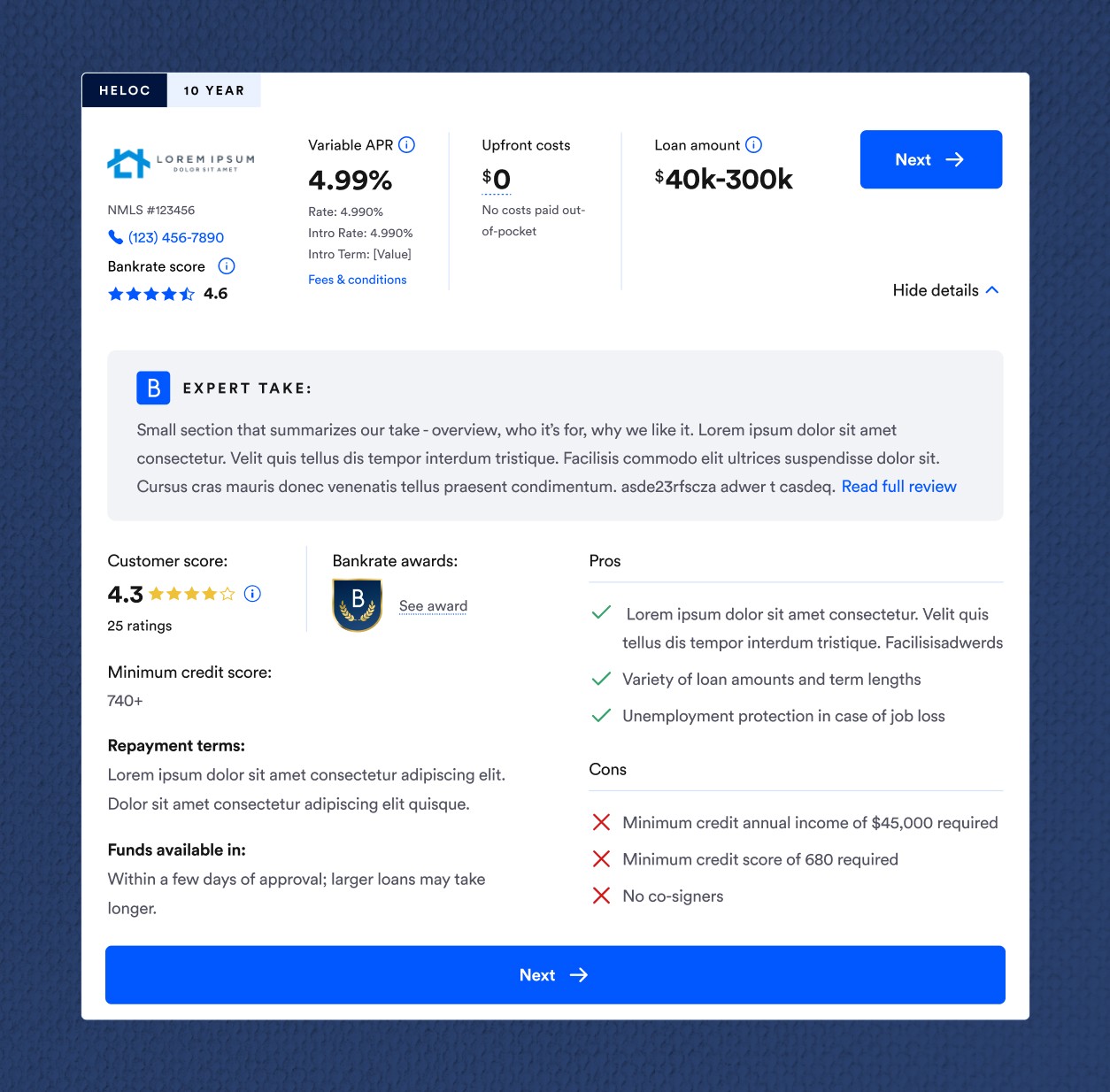
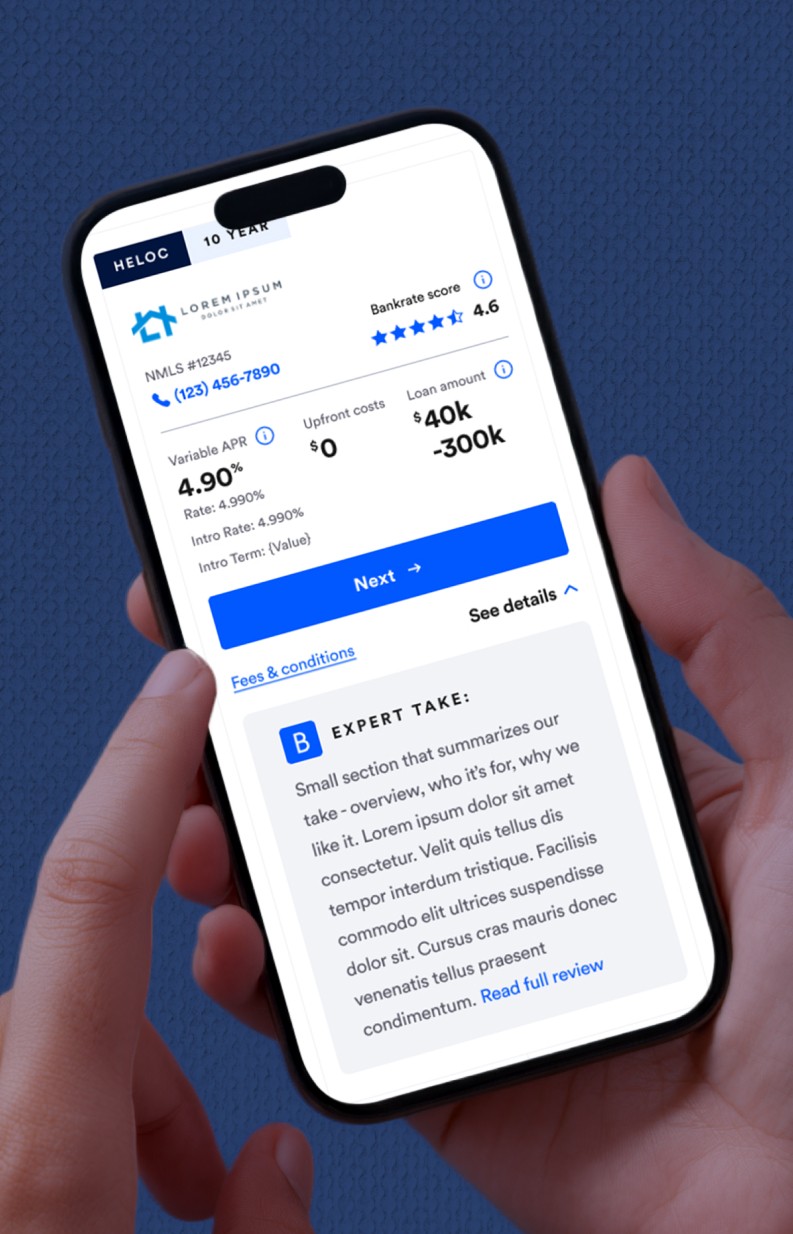
The "See Details" expandable pattern became the structural solution. Rather than surfacing everything at once, lender cards lead with the essentials — APR, costs, loan amount, Bankrate score — and let users pull deeper on their own terms. Inside the expanded state, content follows a deliberate sequence: Expert Take first as an authoritative summary, then customer scoring and awards, then pros and cons, then the granular details. Each layer earns its place.
The Expert Take section required one specific design decision: defining a maximum character count. Editorial takes can run long, and an unconstrained text block would have broken the card's visual rhythm and created inconsistency at scale. Capping it kept the summary feeling like a summary — and reinforced the idea that this was a starting point for deeper exploration, not a replacement for it.
Mobile
The ticket flagged mobile filter behavior as an open design question. My approach was to prioritize content stability — a structure that condenses cleanly as screens shrink without requiring major layout shifts or content deprioritization.
The one intentional reorder: on desktop, the expanded lender detail reads as Expert Take → scoring and details left → pros and cons right. On mobile, I moved pros and cons above the granular details. The reasoning was straightforward — mobile users making high-stakes financial decisions want quick judgment signals first. Pros and cons answer "is this lender right for me?" faster than repayment terms or fund availability timelines. The details matter, but they come after the user has already decided they're interested.
Takeaway
The redesign brought the Home Equity rate table into alignment with Bankrate's broader cross-site design direction while meaningfully upgrading the depth of information available to users at the point of decision. The experience now reflects what Bankrate actually is — not just a place to find rates, but a source of expert financial guidance users can trust when the stakes are high.
ROLE
ASSOCIATE PRODUCT DESIGNER
COMPANY
BANKRATE
TOOL
FIGMA